Download Pixel Strike 3D - FPS Gun Game free on android
APK file PixelStrike3D 10.6.0How to install APK / APKS / OBB file on Android

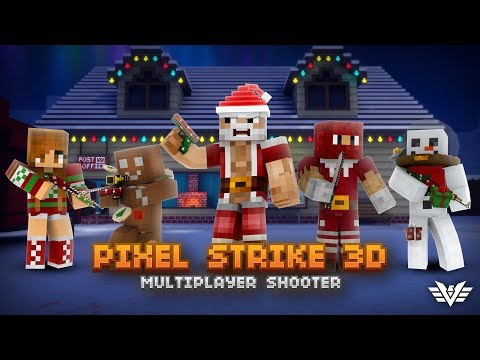


Pixel Strike 3D is a Multiplayer First-Person Shooter that features fast-paced gameplay and a wide variety of player customization. Battle friends and foes from all around the world in over 20 unique game modes.
Climb the leaderboards in competitive modes like Free For All, Team Deathmatch, Capture The Flag, Bomb Defuse, and many more!.
Play fun minigames like Dodgeball, One in The Chamber, Duck Hunt, and more!
Make a clan, design your own logo, invite your friends, and top the clan leaderboards!
Level up your character, unlock new snipers, machine guns, pistols, RPGs, and even lightsabers! Upgrade your guns with attachments like silencers and red dot sights! Create your own loadouts with over 70 weapons designed for every playstyle.
Customize your character with new hats, boots, gear, skins and more! Create your own style with the Skin Creator, and share your designs with friends.
Play to win: All items can be earned through playing the game, no purchase necessary!
Join the official Discord server for the latest news & announcements, chat with players & developers, claim free rewards, and join our growing community!
- LicenseFree
- File namePixelStrike3D
- File Version10.6.0
- Package namecom.pixellabs.pixelstrike3d
- UploadedDecember 5, 2025

- CategoryAction
- DeveloperVulcron
- Developer sitehttps://twitter.com/VulcronGames
- Developer emailpixellabs2015@gmail.com
- Permissionsshow (13)
